The 12 Best Social Media Content Creation Tools for 2026
Discover the top 12 social media content creation tools for 2026. Our list covers free and paid options to elevate your graphics, videos, and text.
In the fast-paced world of social media, having the right tools is not just a luxury; it is essential for creating engaging content efficiently. Whether you are a solo creator, a small business owner, or part of a marketing team, the sheer volume of content needed across platforms like Instagram, TikTok, and LinkedIn can be overwhelming. The key to success is building a smart toolkit that handles everything from quick graphic design and video editing to creating viral memes and generating unique text styles. This is where a curated set of social media content creation tools becomes indispensable, streamlining your workflow from concept to publication.
This comprehensive guide is designed to help you navigate the crowded market of creative software. We will dive deep into 12 of the best platforms available today, from powerful all-in-one suites to specialized, lightweight apps. Our goal is to provide a clear, actionable resource that moves beyond generic feature lists. For each tool, you will find a detailed breakdown, including:
- Key Features: What makes the tool stand out.
- Best Use Case: Who the tool is ideally suited for.
- Pricing: A transparent look at free and paid tiers.
- Pros & Cons: An honest assessment of strengths and limitations.
- Quick Workflow: A practical example of how to use it.
We will explore established powerhouses like Adobe Express and Canva, intuitive video editors such as CapCut and VEED, and versatile resource libraries like Envato Elements. A special focus will be given to practical, free toolkits like MakerSilo, perfect for quick text transformations and meme creation. Each review includes screenshots and direct links, enabling you to find the perfect fit for your budget and creative needs. This guide ensures you spend less time struggling with software and more time connecting with your audience.
1. MakerSilo
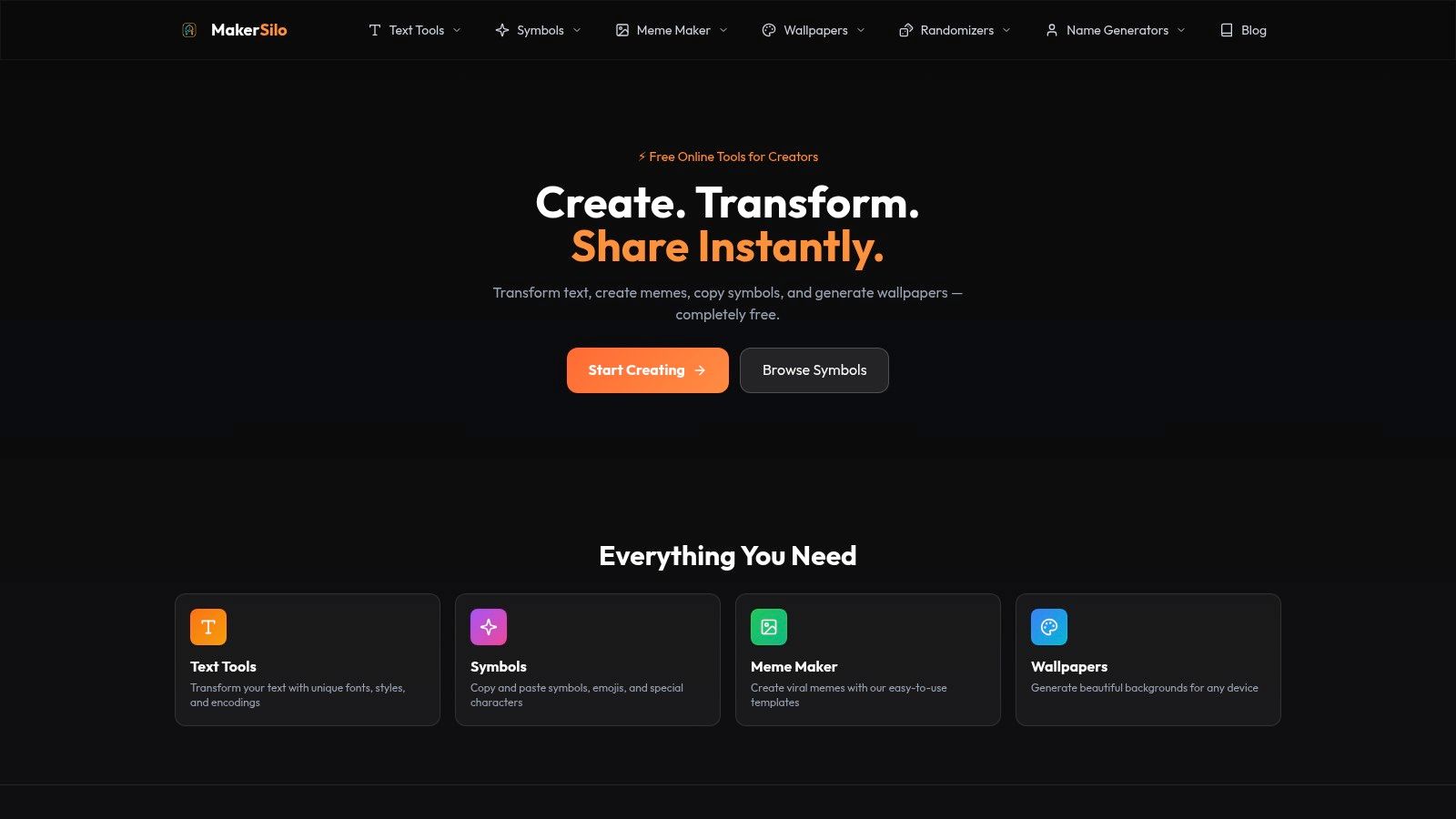
MakerSilo secures the top spot as a powerhouse of simplicity and speed, offering a suite of essential social media content creation tools completely free and without requiring a sign-up. It's an indispensable, browser-based toolkit for creators who need to generate share-ready visuals and text effects instantly. Its core strength lies in eliminating friction; from the moment you land on the site, every tool is immediately accessible.
The platform is intelligently organized into four primary hubs: Text Tools, a Meme Maker, a Symbols library, and a Wallpaper generator. This structure makes it incredibly efficient for producing a wide range of content, from stylized Instagram bios using Gothic or Glitch Text to viral-ready memes using templates like the "Drake" or "Change My Mind" formats.
Why MakerSilo Stands Out
What sets MakerSilo apart is its absolute commitment to accessibility and real-time results. Unlike more complex design software, there is no learning curve. Outputs are generated as you type or select options, and the one-click "copy" or "download" functionality means your content is ready for posting in seconds. This makes it a perfect companion for on-the-fly social media management, quick marketing asset creation, and personalizing digital communications.
For example, a social media manager can generate a custom gradient wallpaper for an Instagram Story background, add stylized text using a unique font, and copy a string of kaomoji or aesthetic symbols to enhance the post, all from a single tab in under a minute.
Key Features and Use Cases
| Feature | Best For | Practical Example |
|---|---|---|
| Text Tools | Instagram Bios, YouTube Titles, Tweets | Converting a plain-text bio into ⓢⓜⓐⓛⓛ ⓒⓐⓟⓢ or Gothic script to stand out. |
| Meme Maker | Viral Marketing, Community Engagement | Quickly captioning a Bernie Sanders meme template for a timely social media post. |
| Symbol Library | Comments, Captions, Digital Notes | Adding music notes (♫), decorative borders, or Japanese characters to enrich text. |
| Wallpaper Generator | Story Backgrounds, Device Personalization | Creating a branded, solid-color PNG background perfectly sized for an Instagram Story. |
Pricing, Pros & Cons
- Pricing: Completely free. No account, no premium tiers, no usage limits.
- Website: MakerSilo.com
Pros:
- Completely Frictionless: Instantly usable in any browser with no sign-up required.
- Rapid Content Generation: Real-time outputs with one-click copy and download.
- Versatile Toolkit: Combines text styling, meme creation, symbols, and backgrounds in one place.
- Cross-Platform Compatibility: Outputs work seamlessly across all major social media and messaging apps.
Cons:
- No Cloud Features: Lacks account-based saves or project history; all work is session-based.
- Limited Advanced Customization: Not a replacement for professional design software like Photoshop or Figma.
2. Adobe Express
Adobe Express is a versatile, all-in-one design suite that empowers non-designers to create professional-quality social media content quickly. It bridges the gap between simple template apps and complex professional software like Photoshop, making it one of the most powerful and accessible social media content creation tools available. Its core strength lies in its tight integration with the vast Adobe ecosystem, including Adobe Stock and Adobe Fonts, giving users an enormous library of high-quality assets directly within the editor.
The platform excels at unifying brand identity across all channels. Features like Brand Kits allow you to pre-load logos, colors, and fonts, ensuring every post, story, or thumbnail remains consistent with a single click.
Key Features & Pricing
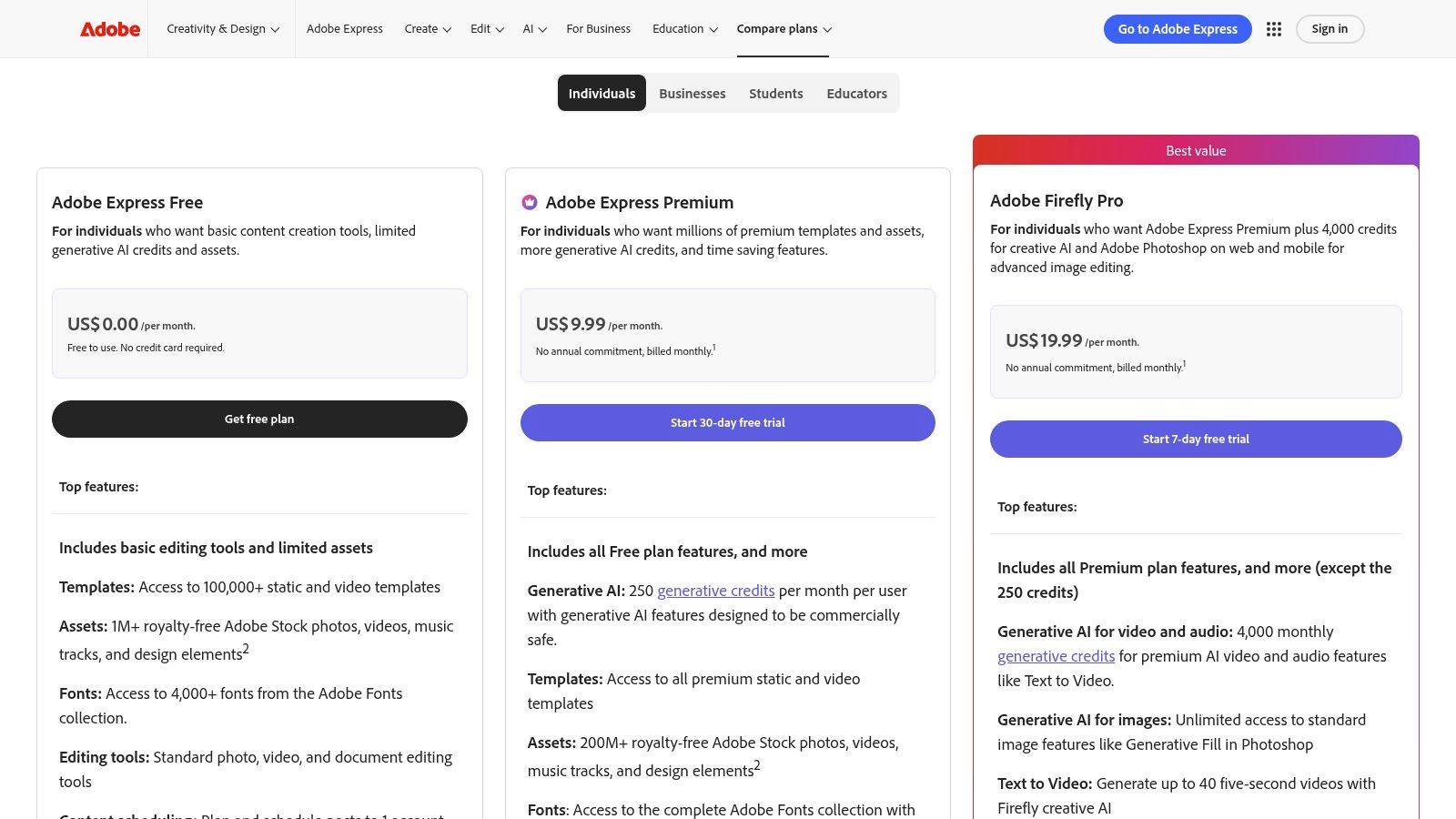
Adobe Express offers a robust free plan that is surprisingly capable, including thousands of templates and basic editing tools. The Premium plan unlocks the full suite of assets and advanced features.
| Feature | Free Plan | Premium Plan ($9.99/mo) |
|---|---|---|
| Templates | 100,000+ free templates | All premium templates & designs |
| Adobe Stock | Limited collection | 200M+ royalty-free photos & assets |
| Generative AI | 25 monthly credits | 250 monthly credits |
| Brand Kit | Limited | Unlimited |
| Content Scheduler | 2 posts per month | Unlimited scheduling |
Practical Use & Limitations
For teams or creators managing multiple brand accounts, the Brand Kit feature is a massive time-saver. You can instantly apply different brand styles to the same design without rebuilding it from scratch.
A standout feature is the integration of Adobe Firefly, a generative AI for creating images from text prompts and applying text effects. While powerful, its usage is tied to a credit system, which can be a limitation for users who rely heavily on AI generation. The built-in Content Scheduler is another key benefit, allowing you to design and publish directly to channels like Instagram, Facebook, and TikTok without leaving the app.
Pros:
- Massive, high-quality asset library (Stock photos, videos, music).
- Intuitive interface with one-click resizing and background removal.
- Excellent brand management tools for maintaining consistency.
Cons:
- Generative AI features are metered by credits, even on paid plans.
- Some advanced video and animation features are only available on the desktop version.
Find out more at the official website: https://www.adobe.com/express/
3. Canva
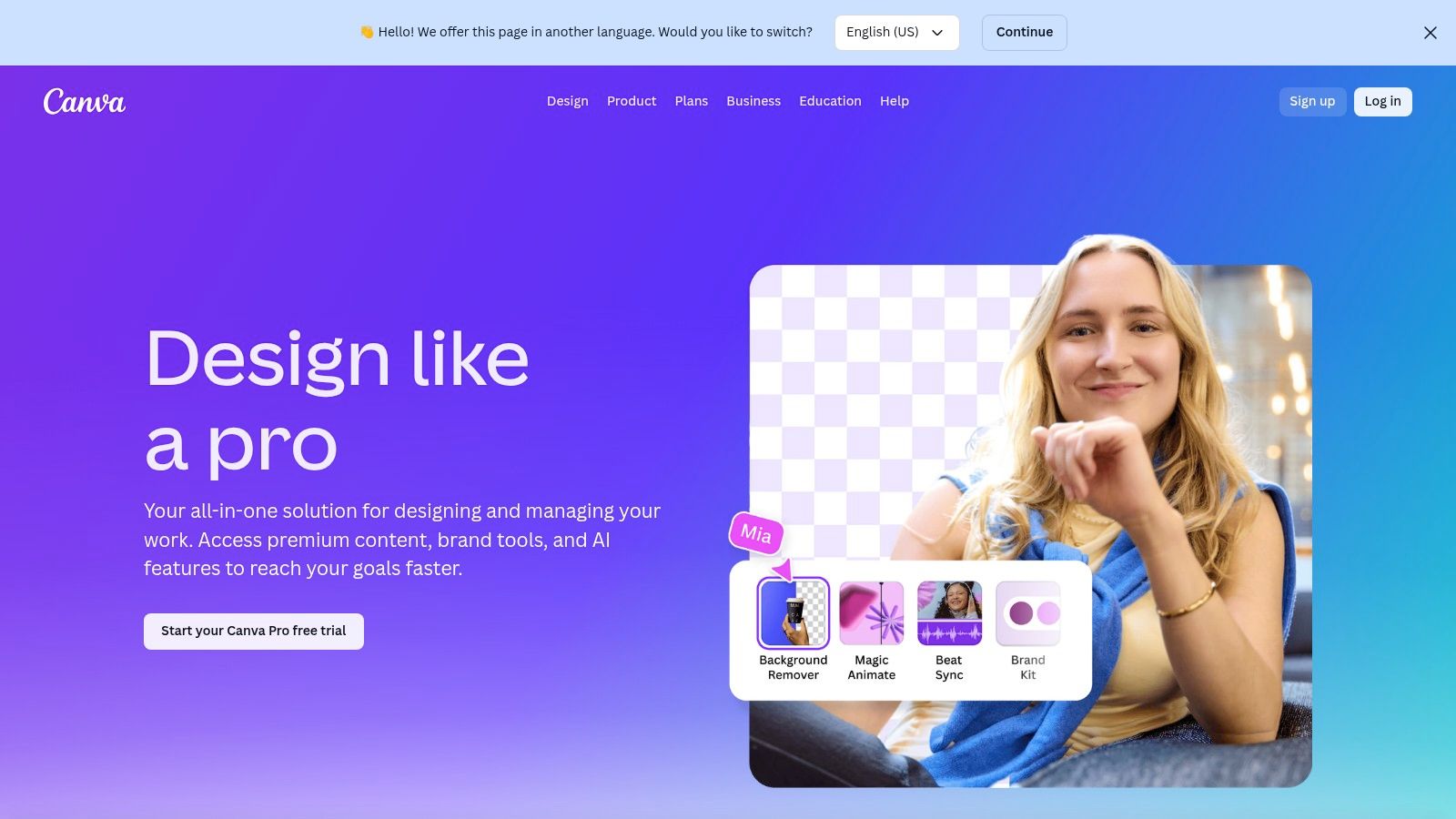
Canva is arguably the most popular all-in-one visual communication platform, transforming how millions create social media content. It excels at template-driven design, allowing users to produce stunning graphics, carousels, and short-form videos with remarkable speed. Its core appeal is its vast library of templates and assets combined with an intuitive drag-and-drop interface, making it one of the most accessible yet powerful social media content creation tools for both beginners and professionals.
The platform is designed for rapid iteration. Its Brand Kit feature ensures consistency across all assets, while robust team collaboration tools allow for seamless feedback and approval workflows, streamlining the entire content pipeline.
Key Features & Pricing
Canva’s free version is incredibly generous, offering a great starting point for individuals. The Pro and Teams plans unlock powerful AI features, unlimited premium content, and advanced brand management controls.
| Feature | Free Plan | Pro Plan ($14.99/mo) |
|---|---|---|
| Templates | 250,000+ free templates | 610,000+ premium templates |
| Stock Assets | 1M+ free photos & graphics | 100M+ premium photos, videos & audio |
| AI Tools | Limited access to Magic Design | Full Magic Studio suite (25+ tools) |
| Brand Kit | 1 kit with limited colors | 100 Brand Kits with full controls |
| Background Remover | Not included | One-click instant access |
Practical Use & Limitations
The Magic Resize feature is a game-changer for social media managers. You can design a single graphic and instantly adapt it for an Instagram Post, Story, Facebook banner, and YouTube thumbnail in seconds.
Canva's "Magic Studio" is a suite of over 25 AI-powered tools, including Magic Write for copy generation and a background/object remover. This makes it easy to accomplish complex tasks without leaving the editor. While Canva is perfect for most social graphics, and even has a dedicated meme maker, heavier projects involving complex animations or high-resolution video can sometimes feel slow on lower-spec machines.
Pros:
- Extremely fast for creating and batch-resizing social media formats.
- Massive template and asset ecosystem covering nearly every social channel.
- Intuitive, user-friendly interface suitable for non-designers.
Cons:
- Some asset libraries and features can vary by plan and region.
- Performance can slow down with complex, multi-page, or video-heavy projects.
Find out more at the official website: https://www.canva.com/en_in/pro/
4. CapCut
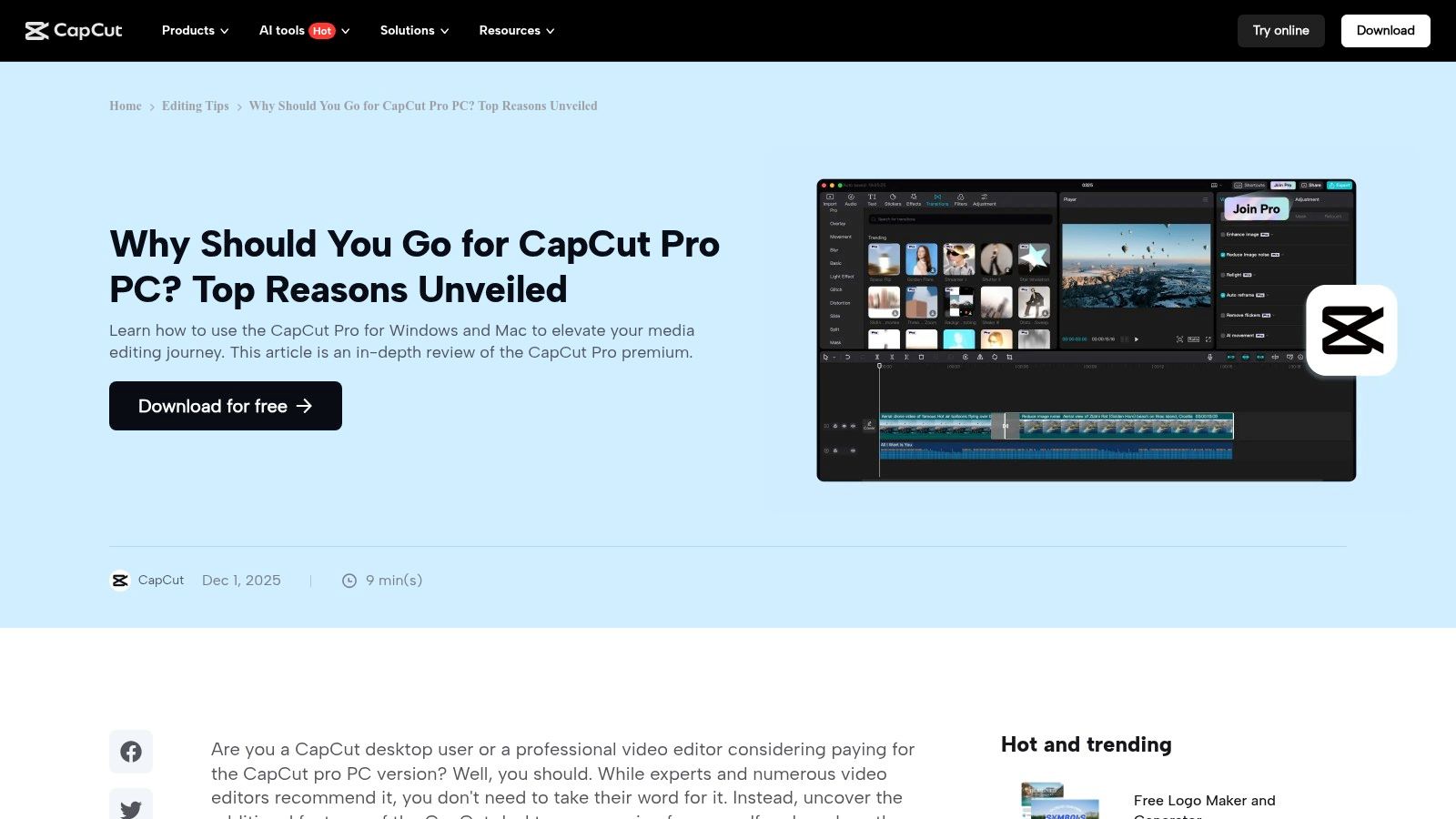
CapCut has rapidly become the go-to video editor for short-form content, dominating platforms like TikTok, Reels, and YouTube Shorts. Originally a mobile-first app, it now offers a surprisingly robust experience on desktop and web, making it one of the most accessible social media content creation tools for video. Its main advantage is a powerful free tier that includes features often locked behind paywalls in other editors, such as auto-captions, advanced transitions, and background removal.
The platform is engineered for speed and social media trends. It offers an extensive library of trending sounds, effects, and templates that users can apply with a single tap. This lowers the barrier to entry, allowing creators to produce polished, engaging vertical videos with minimal effort and no prior editing experience.
Key Features & Pricing
CapCut's free version is exceptionally generous. The optional Pro plan unlocks cloud storage, premium assets, and removes watermarks on certain AI-powered effects, but the core editing suite remains free.
| Feature | Free Version | CapCut Pro (from $7.99/mo) |
|---|---|---|
| Auto Captions | Yes, with style customization | Yes, with advanced effects |
| Stock Assets | Limited library of music & effects | Expanded library of stock videos, music, stickers & text |
| AI Features | Basic background removal & retouch | Advanced AI effects, filters & transitions |
| Cloud Storage | Limited | 100GB of cloud storage |
| Export Quality | Up to 4K resolution | Up to 4K resolution |
Practical Use & Limitations
CapCut’s auto-captioning feature is a game-changer for accessibility and engagement. It accurately transcribes audio and allows you to animate the text in popular, dynamic styles, significantly boosting viewer retention on silent-play platforms.
The cross-platform synchronization is a standout benefit. You can start a project on your phone, refine it on your desktop, and make final tweaks on the web app without losing progress. This flexibility is invaluable for creators who work on the go. A key limitation is that while many premium tools can be tested for free, exporting the final video with those effects requires a Pro subscription. Pricing can also vary slightly depending on the platform (mobile vs. desktop) and region.
Pros:
- Extremely powerful free tier with no watermarks on standard exports.
- Optimized for vertical video with trending templates and sounds.
- Seamless project syncing across mobile, desktop, and web.
Cons:
- Pro pricing and features can differ across platforms.
- Some advanced AI effects require a subscription to export without limits.
Find out more at the official website: https://www.capcut.com/resource/capcut-pro-pc?utm_source=openai
5. Descript
Descript revolutionizes video and audio editing by making it as simple as editing a text document. It’s an AI-powered platform designed for creators who work with spoken-word content like podcasts, interviews, and screen recordings. Its core innovation is transcript-based editing; instead of scrubbing through a timeline, you simply edit the transcribed text, and the corresponding video and audio are cut automatically. This unique workflow makes it one of the fastest social media content creation tools for repurposing long-form content into engaging short-form clips.
The platform's strength is transforming raw recordings into polished, shareable assets with minimal effort. Features like one-click filler word removal ("um," "uh"), AI-powered voice cloning for correcting mistakes, and Studio Sound enhancement clean up audio to a professional standard.
Key Features & Pricing
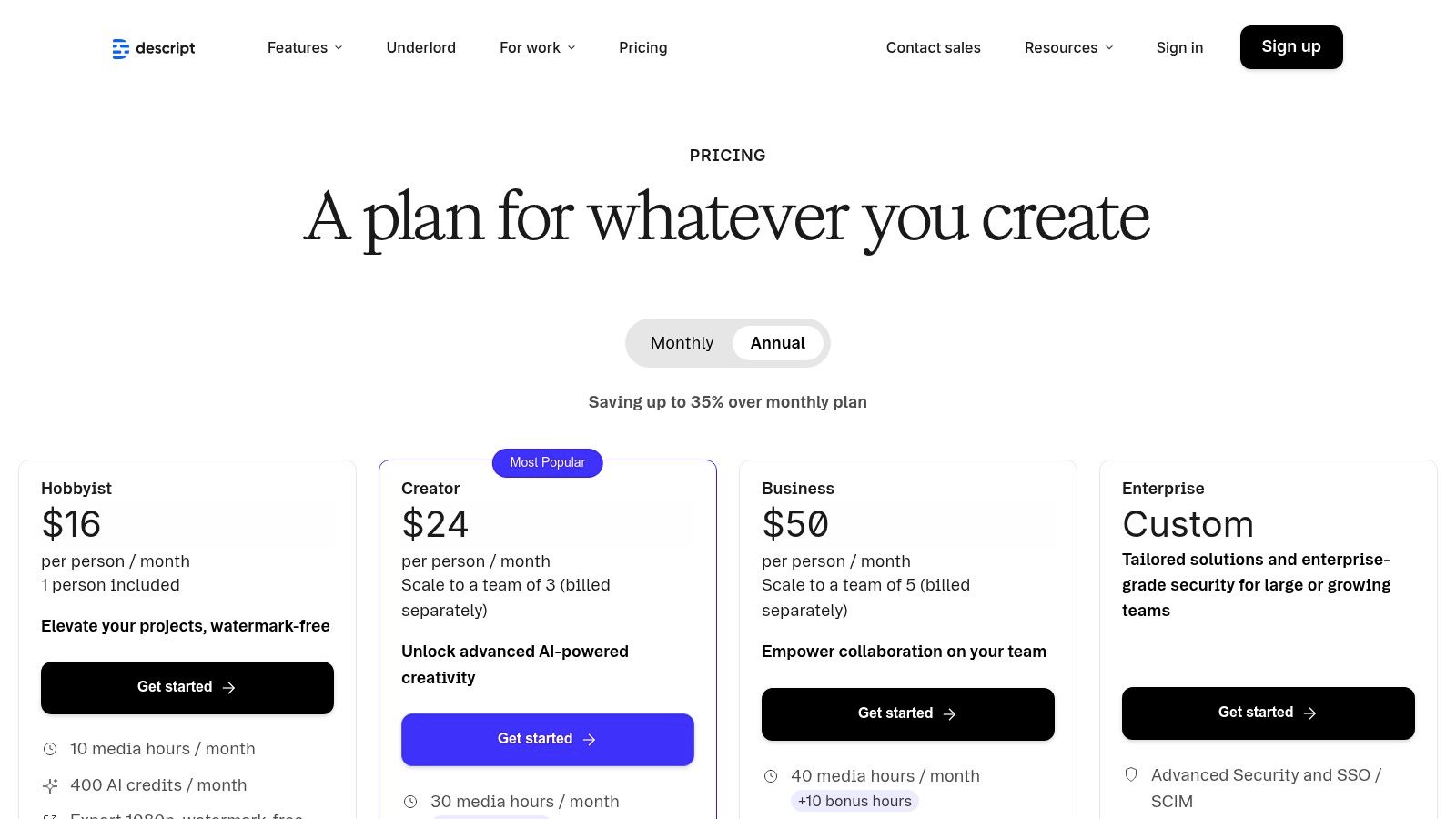
Descript offers a free tier for getting started, with paid plans unlocking more transcription hours and advanced AI features.
| Feature | Free Plan | Creator Plan ($12/mo) | Pro Plan ($24/mo) |
|---|---|---|---|
| Transcription | 1 hour/month | 10 hours/month | 30 hours/month |
| Filler Word Removal | Limited | Pro version | Pro version |
| Studio Sound | Limited | Included | Included |
| AI Voices & Dubbing | Limited | 1,000-word vocabulary | Unlimited vocabulary |
| Remote Recording | Unlimited | Unlimited | Unlimited |
Practical Use & Limitations
For podcasters and YouTubers, Descript’s workflow is a game-changer. You can record a long interview, instantly generate a transcript, and then highlight key quotes to create dozens of captioned social media clips in minutes.
The "Overdub" feature allows you to clone your voice to fix audio errors without re-recording, which is incredibly efficient. Its dynamic captioning and template system make it easy to create consistently branded videos for TikTok, Reels, and Shorts. However, its power comes with some constraints. The AI features and transcription hours are metered based on your plan, which can be a limitation for high-volume creators. While text-based editing is intuitive, those accustomed to traditional NLEs might find advanced timeline work has a slight learning curve.
Pros:
- Drastically speeds up the creation of captioned video clips.
- Powerful AI features like Studio Sound and Overdub enhance quality.
- Robust transcription and collaborative workflows for teams.
Cons:
- AI features and transcription hours are quota-based per plan.
- Less ideal for highly visual, non-narrative video content.
Find out more at the official website: https://www.descript.com/
6. VEED
VEED is a powerful, browser-based video editor designed specifically for the speed and demands of social media. It streamlines the creation of engaging video content by focusing on features that matter most to creators: subtitles, translations, and quick repurposing. This makes it one of the go-to social media content creation tools for anyone looking to make their videos more accessible and engaging for a global audience, without getting bogged down in complex editing software. Its core strength is its suite of AI-powered tools that automate tedious tasks like transcription and clip generation.
The platform excels at making video content universally understandable. With features like auto-subtitling, AI-powered dubbing, and text-to-speech, creators can easily adapt a single video for multiple regions and platforms, maximizing reach and impact.
Key Features & Pricing
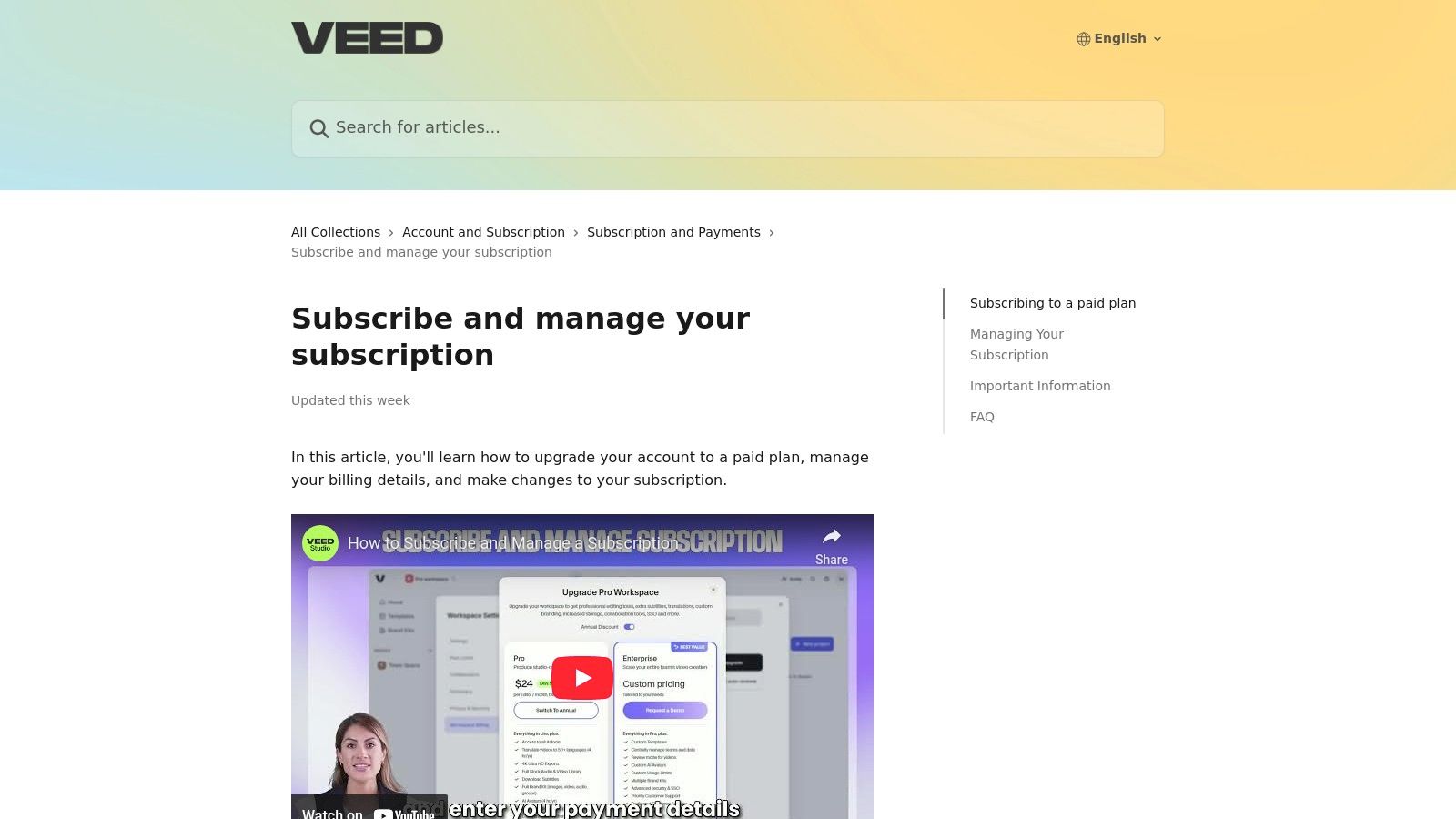
VEED offers a free tier for short projects, with paid plans unlocking advanced features, higher export quality, and longer video lengths. Pricing can vary by region and is subject to change.
| Feature | Free Plan | Basic Plan ($12/mo) | Pro Plan ($24/mo) | | :--- | :--- | :--- | | Export Quality | 720p with watermark | 1080p | 4K | | Auto Subtitles | 30 mins/month | 120 mins/month | 720 mins/month | | Video Translation | Not available | 1 hour/month | 12 hours/month | | Stock Media | Limited | Standard Stock Library | Premium Stock Library | | Brand Kit | Not available | Yes | Yes |
Practical Use & Limitations
For podcasters and interviewers, the automatic transcription and subtitle generator is a game-changer. You can upload an hour-long video and get a near-perfect transcript in minutes, ready to be burned into the video as captions or repurposed for a blog post.
VEED's suite of AI tools is a major draw, including features for cleaning audio, removing backgrounds, and even generating AI avatars. However, these tools are often limited by usage minutes tied to specific plans. A significant limitation is the separation of its mobile and web subscriptions; a Pro plan purchased on the web does not grant Pro access on the mobile app, which can be frustrating for creators who work across devices.
Pros:
- Best-in-class automatic captioning, translation, and dubbing features.
- Simple, intuitive interface perfect for fast-paced social media workflows.
- Powerful AI tools for audio cleaning and video repurposing.
Cons:
- Pricing plans change frequently and can vary by region.
- Mobile and web subscriptions are separate and not interchangeable.
Find out more at the official website: https://support.veed.io/en/articles/11433566-subscribe-and-manage-your-subscription
7. Kapwing
Kapwing is a collaborative, browser-based video editor that excels at creating and repurposing social media content with powerful AI features. It strikes an excellent balance between template-driven speed and granular manual control, making it one of the most practical social media content creation tools for creators who need to quickly add subtitles, dub audio, or resize videos for different platforms. Its core advantage is a clear, usage-based credit system for AI tasks, which provides predictability for teams and solo creators.
The platform is designed for the fast-paced nature of social media, enabling users to generate polished short-form videos without getting bogged down in complex timelines. Features like AI-powered Smart Cut, auto-subtitling, and AI dubbing streamline the most time-consuming parts of video editing.
Key Features & Pricing
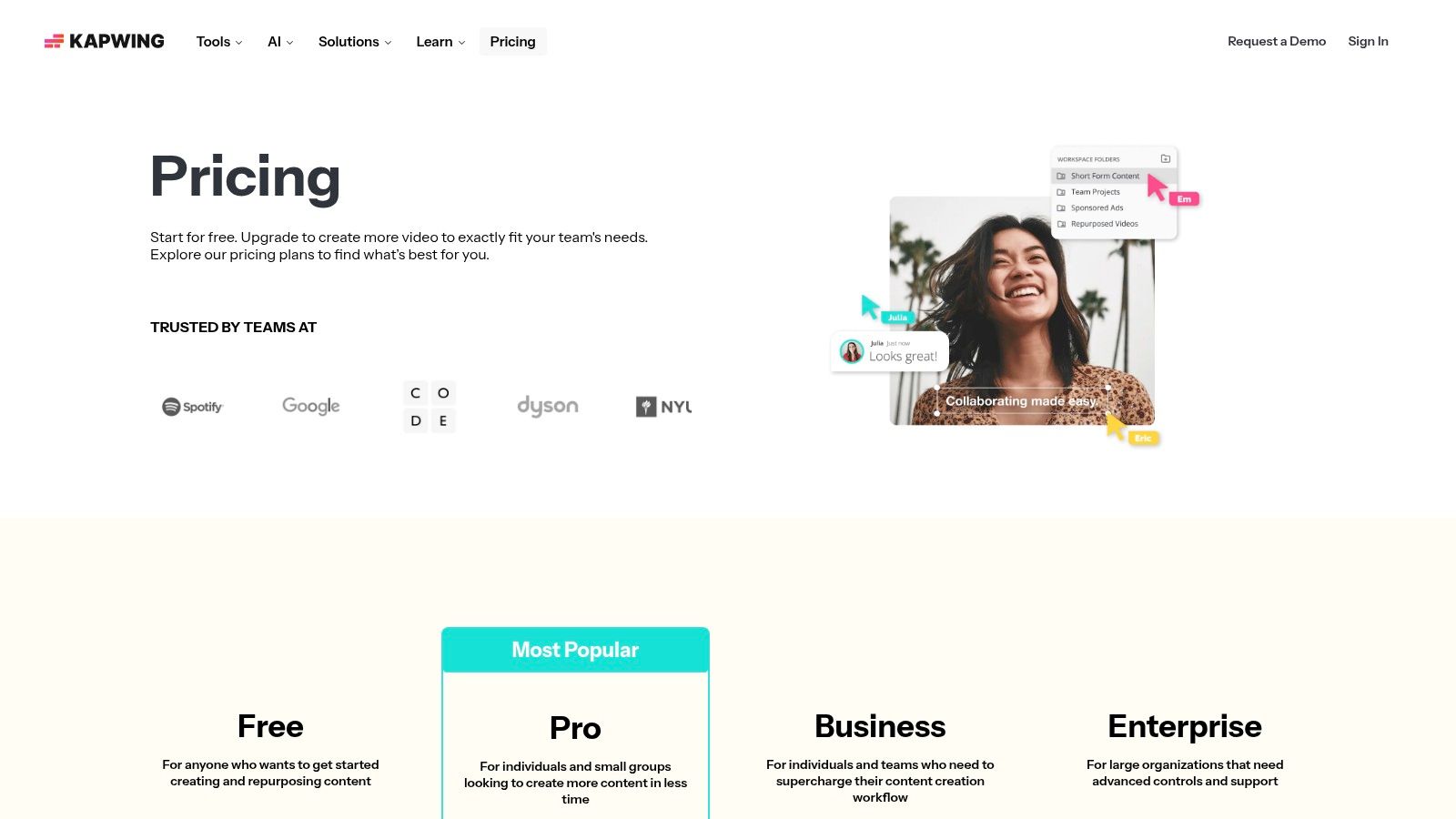
Kapwing offers a free tier suitable for casual projects, though it includes a watermark. The Pro plan is necessary for professional use, unlocking higher-resolution exports and removing watermarks.
| Feature | Free Plan | Pro Plan ($16/mo) |
|---|---|---|
| Export Quality | 720p with watermark | Up to 4K without watermark |
| AI Transcription | 10 minutes/month | 300 minutes/month |
| AI Features | Limited access & credits | More credits, Clean Audio, AI Dubbing |
| Brand Kit | Not included | Upload custom fonts & colors |
| Cloud Storage | Limited | Unlimited storage |
Practical Use & Limitations
For podcasters and interviewers, Kapwing's auto-subtitling and AI-powered text-based video editing are game-changers. You can edit the video simply by editing the transcribed text, which massively accelerates the process of creating engaging clips.
A key strength is its transparent credit system for AI features like translation and voice cloning. Unlike ambiguous "fair use" policies, users know exactly how many credits each task consumes. However, this can also be a limitation, as heavy use of AI tools like Clean Audio or generating B-roll can deplete credits quickly, even on the Pro plan. The shared workspace is another major benefit for small teams, allowing seamless collaboration on video projects.
Pros:
- Excellent AI-powered subtitling and transcription tools.
- Clear and transparent credit system for AI features.
- Good balance between automated templates and manual editing control.
Cons:
- Free tier is limited by a watermark and 720p export resolution.
- AI credits can be consumed quickly with intensive use.
Find out more at the official website: https://www.kapwing.com/pricing
8. InVideo
InVideo is a powerful AI-assisted video creation platform designed to streamline the production of social media ads, user-generated content (UGC)-style clips, and faceless videos. It excels at turning simple text prompts into fully realized video content, complete with AI-generated voiceovers and subtitles. This makes it one of the most efficient social media content creation tools for marketers and creators who need to produce high volumes of video content quickly and test different creative concepts.
The platform’s core strength is its AI-driven workflow, which handles scripting, scene creation, and media selection automatically. This allows users to generate polished video ads or engaging social clips in minutes rather than hours, making it ideal for rapid ideation and fast-paced campaign schedules.
Key Features & Pricing
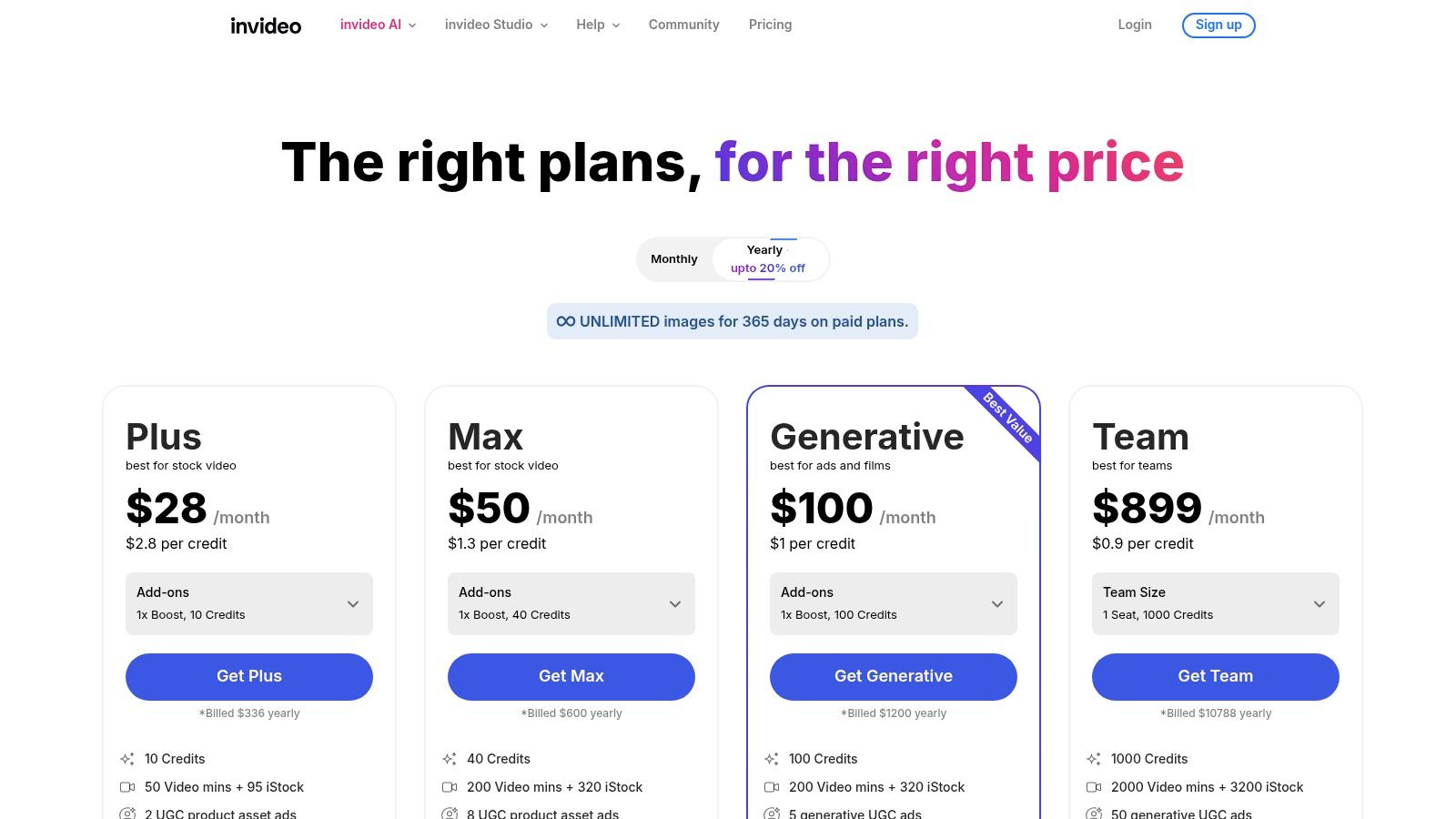
InVideo offers a free plan with watermarked exports and limited AI generation. The paid plans unlock higher export quality, more AI credits, and access to a premium stock media library.
| Feature | Free Plan | Plus Plan ($25/mo) | Max Plan ($49/mo) |
|---|---|---|---|
| AI Prompt-to-Video | 10 mins/week | 50 mins/month | 200 mins/month |
| Stock Media | 1M+ Standard Assets | 16M+ Premium Assets | 16M+ Premium Assets |
| Export Quality | 720p with Watermark | 1080p | 4K |
| Users | 1 User | 1 User | 3 Users |
| Cloud Storage | 10 GB | 100 GB | 400 GB |
Practical Use & Limitations
For performance marketers, the ability to generate multiple video ad variations from a single prompt is a game-changer. You can quickly A/B test different scripts, visuals, and voiceovers to find the best-performing creative.
The text-to-video agent is InVideo's standout feature, capable of building entire videos from a short description. While incredibly fast, the final output may sometimes require manual adjustments in the Studio editor to perfectly match a specific brand vision. The platform is also actively developing new AI agents and seasonal tools, which provides fresh creative options but can also mean that specific features or models may be time-limited promotions.
Pros:
- Extremely fast for generating ad creatives and testing ideas.
- Strong text-to-video, AI voiceover, and avatar capabilities.
- Active development keeps the tool on the cutting edge of AI video.
Cons:
- Plan features and names can change, making it difficult to track mid-tier offerings.
- Some advanced features or AI models may be introduced as limited-time promotions.
Find out more at the official website: https://invideo.io/pricing/
9. VistaCreate (formerly Crello)
VistaCreate, formerly known as Crello, is a powerful and user-friendly design platform that serves as a strong alternative to more dominant players like Canva. It excels in providing a vast library of templates, animations, and stock assets, making it one of the most efficient social media content creation tools for users who need to produce high-quality visuals quickly. Its core value lies in its template-driven workflow, allowing creators to generate professional-looking posts, stories, and ads with minimal effort.
The platform is particularly known for its extensive collection of animated templates and design objects, giving social media content a dynamic edge that helps capture audience attention. It also provides robust features on its paid plan, such as Brand Kits for maintaining visual consistency, unlimited storage, and version history, which are invaluable for both solo creators and small teams.
Key Features & Pricing
VistaCreate offers a free Starter plan with access to a significant number of templates and design assets. The Pro plan unlocks its full potential, including premium assets and advanced functionality.
| Feature | Starter Plan | Pro Plan ($13.00/mo) |
|---|---|---|
| Templates & Assets | 100K+ static & animated templates | Full access to all templates |
| Stock Library | 1M+ photos, videos, and vectors | Full access to 70M+ creative assets |
| Brand Tools | 1 Brand Kit with limited assets | Unlimited Brand Kits |
| Key Features | 5 GB file storage | Background Remover, unlimited storage |
Practical Use & Limitations
For creators focused on animated graphics or video-based content for Instagram Stories or TikTok, VistaCreate’s library of animated templates and objects provides a significant advantage over many competitors.
A standout feature is the one-click background remover, which is both accurate and fast. While the platform is incredibly responsive and intuitive, its pricing structure can vary depending on your region, and it may not be as transparently listed as other services. It also has fewer third-party integrations compared to larger rivals, which might be a consideration for teams relying on complex workflows. For adding extra personality to text overlays, creators can find an extensive kaomoji list to copy and paste unique expressions directly into their designs.
Pros:
- Strong value, especially for template-driven social media graphics.
- Excellent selection of animated templates and design objects.
- Responsive editor with convenient one-click effects like background removal.
Cons:
- Pro pricing can vary by locale and is not always prominently displayed.
- Fewer third-party app integrations compared to industry leaders.
Find out more at the official website: https://create.vista.com
10. Envato Elements
Envato Elements is an all-you-can-eat subscription service for creative assets, making it an indispensable resource for social media managers and video editors. Instead of purchasing assets individually, a single subscription provides unlimited downloads from a massive library of stock video, photos, music, graphics, and templates. This model makes it one of the most cost-effective social media content creation tools for creators who need a constant supply of diverse, high-quality content. Its strength is providing everything from video templates and lower-thirds to background music and fonts under one simple commercial license.
The platform is perfect for creators who need to produce varied content quickly. You can find social media template kits for Instagram Stories, presentation assets for webinars, and even LUTs to color grade video footage, all in one place.
Key Features & Pricing
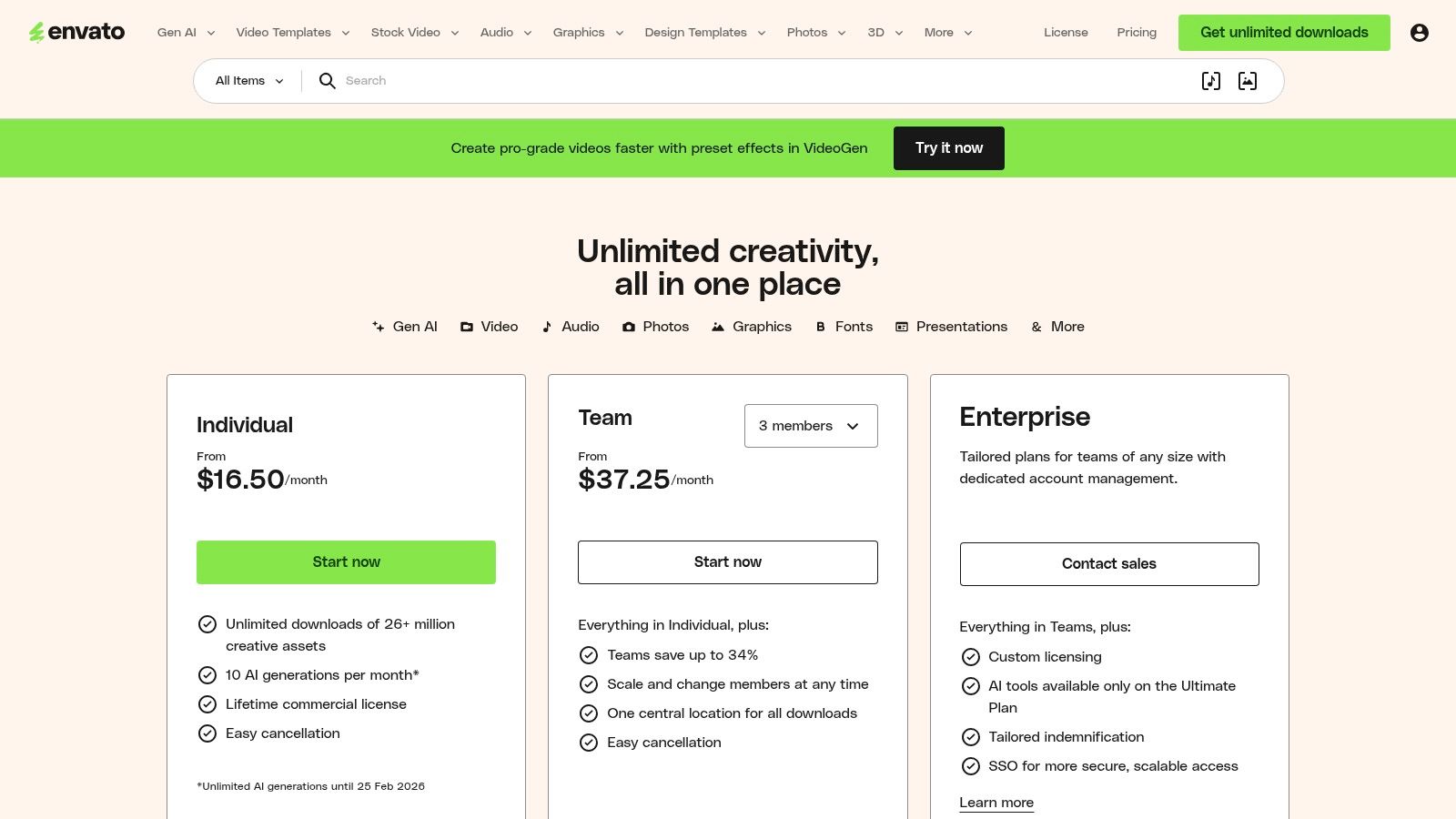
Envato Elements offers straightforward subscription plans for individuals, teams, and students, all providing unlimited downloads. The primary difference between plans is user count and team management features.
| Feature | Individual Plan ($16.50/mo) | Teams Plan (from $10.75/mo/member) |
|---|---|---|
| Creative Assets | 26M+ assets (video, photos, music, etc.) | All Individual features |
| Downloads | Unlimited | Unlimited |
| Licensing | Simple commercial license | Simple commercial license |
| Team Management | N/A | Centralized billing & management |
| Exclusive Content | Access to tutorials & courses | Access to tutorials & courses |
Practical Use & Limitations
For an agency producing daily video content for multiple clients, Envato Elements is a game-changer. The ability to download unlimited stock footage, sound effects, and motion graphics templates for a flat monthly fee dramatically reduces production costs and speeds up workflow.
Its vast library is its greatest asset. You can build an entire social media campaign, from video ads to Instagram grid posts, using only resources from the platform. For backgrounds, you can find high-quality photos or even use a simple tool like a gradient wallpaper generator to create custom visuals. However, the sheer volume means asset quality can vary between contributors, and users may need to sift through content to find top-tier options. It is also important to note that AI generation quotas will apply to non-enterprise plans after February 2026.
Pros:
- Incredible value with unlimited downloads for a flat fee.
- A broad range of asset types (video, music, graphics, fonts) in one subscription.
- Simple, comprehensive commercial license for peace of mind.
Cons:
- Asset quality can be inconsistent across the vast library.
- Future AI generation quotas may limit some users' workflows.
Find out more at the official website: https://elements.envato.com/pricing?utm_source=openai
11. Placeit by Envato
Placeit by Envato is a browser-based design powerhouse focused on creating high-quality mockups, logos, and promotional videos with incredible speed. It removes the need for complex software like Photoshop, making it one of the most efficient social media content creation tools for creators who need to visualize products, apparel, or digital assets in realistic settings. Its main strength is its vast and ever-growing library of professionally photographed mockups.
The platform is designed for pure efficiency. You can generate a stunning t-shirt mockup on a model, an app screenshot on a phone, or a logo on a business card in just a few clicks. This makes it an invaluable tool for e-commerce stores, podcasters, and brands needing to produce a high volume of promotional assets without hiring a photographer or designer.
Key Features & Pricing
Placeit operates on a subscription model that grants unlimited access to its entire library, though individual downloads are also available. The unlimited plan is a cost-effective solution for anyone needing consistent design assets.
| Feature | Free Account | Single Purchase | Unlimited Subscription ($7.47/mo) |
|---|---|---|---|
| Mockup Library | Limited selection | Starts at $7.95/mockup | Unlimited access to all mockups |
| Design Templates | Limited selection | Starts at $2.95/template | Unlimited access to all designs |
| Video Templates | Limited selection | Starts at $9.95/video | Unlimited video creation |
| Logo Maker | Low-res downloads | $39.95/logo | Unlimited logos |
Practical Use & Limitations
For any creator selling merchandise or running an e-commerce brand, Placeit is an absolute game-changer. You can generate an entire product catalog of visuals for your social feeds in under an hour without ever touching a camera.
Its core function is simplicity and speed. You simply choose a template, upload your design, and the platform automatically handles the perspective, lighting, and placement. While this is incredibly efficient, it offers less creative control than tools like Canva or Adobe Express. You can't freely move elements or heavily customize the base template.
Pros:
- Massive library of high-resolution, professional mockups.
- Extremely easy to use with no design skills required.
- Unlimited downloads offer fantastic value for high-volume creators.
Cons:
- Limited customization options compared to full-fledged design suites.
- The search function can sometimes be challenging for finding highly specific niche mockups.
Find out more at the official website: https://placeit.aws.placeit.net/unlimited-subscription?utm_source=openai
12. Creative Market
Creative Market is not a standalone app but an expansive marketplace where independent creators sell high-quality design assets. For social media managers, it's a goldmine of unique templates (for Canva, Adobe, Figma), Lightroom presets, custom fonts, and mockups that you can purchase individually. This a la carte model makes it one of the most flexible social media content creation tools for one-off projects or when you need a specific aesthetic that generic platforms cannot provide.
Its core strength is the sheer diversity of niche styles available, from minimalist to grunge, all crafted by individual designers. This allows you to source assets that make your brand stand out, rather than relying on the same popular templates used by thousands of others.
Key Features & Pricing
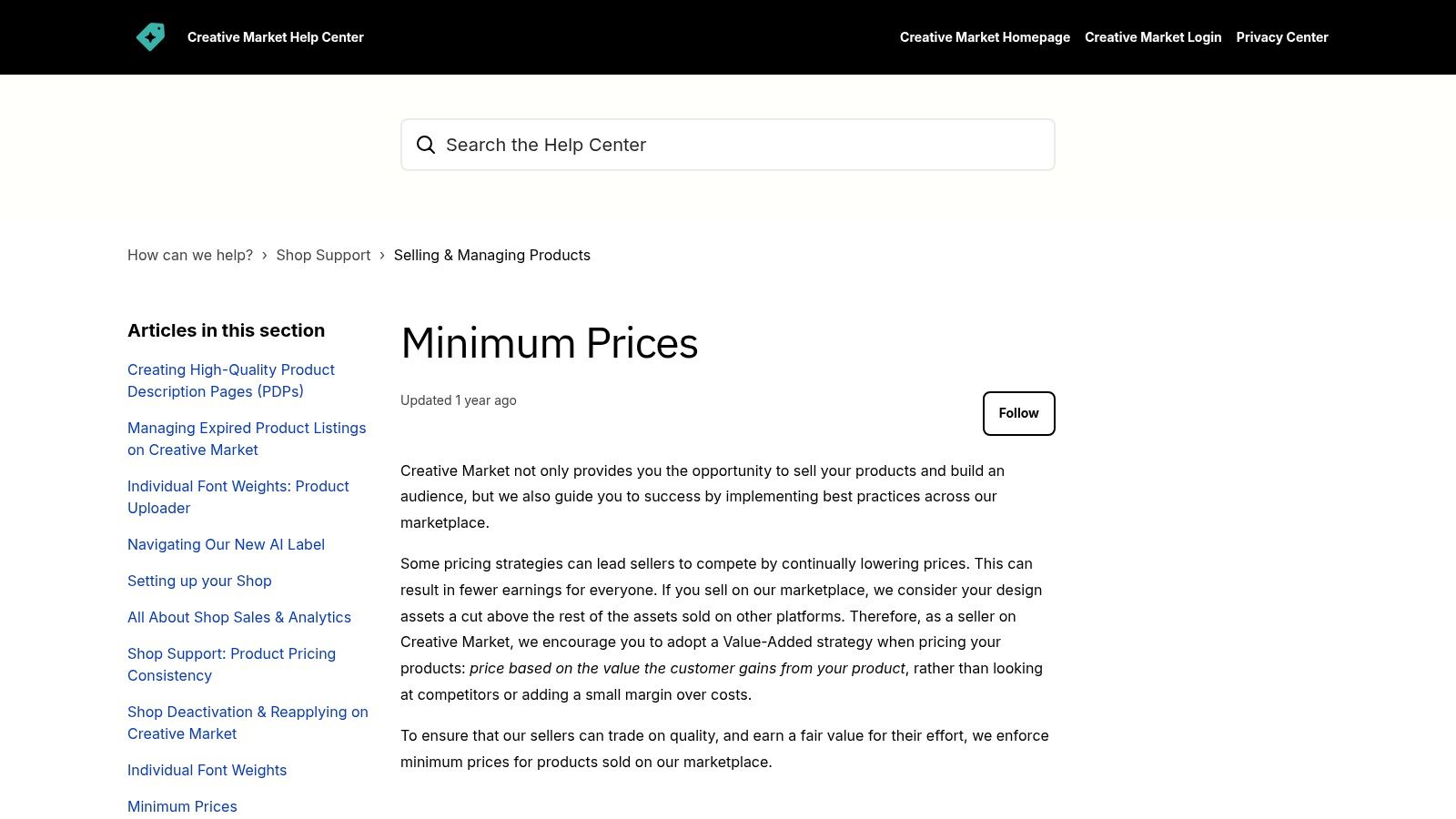
Creative Market operates on a pay-per-asset basis. Prices are set by creators based on minimums defined by the platform's licensing structure. This ensures you only pay for what you actually need.
| Feature | Standard License | Extended License |
|---|---|---|
| End Products | Up to 500 total sales | Up to 250,000 total sales |
| Social Media | Unlimited non-commercial posts | Unlimited, including paid ads |
| Templates | Cannot be used in templates | Can be used in end products for sale |
| Broadcast Use | Up to 500,000 lifetime viewers | Up to 2,500,000 lifetime viewers |
| Pricing | Lower one-time fee | Higher one-time fee |
Practical Use & Limitations
For freelancers building a client's brand from scratch, Creative Market is invaluable. You can buy a font, a set of Instagram templates, and matching Lightroom presets from different creators to build a completely unique visual identity without any subscription fees.
The primary benefit is avoiding monthly subscriptions. However, this model requires careful management of licenses. Each purchase comes with specific usage rights, such as limits on end products or broadcast views, which you must track. The quality and support can also vary significantly between sellers, so it's crucial to read reviews and check creator profiles before purchasing.
Pros:
- One-off purchases without recurring subscription costs.
- Massive variety of unique and niche styles from independent designers.
- Clear and transparent licensing options for commercial use.
Cons:
- You must manually track the license scope for every asset purchased.
- Quality and seller support can vary greatly by individual creator.
Find out more at the official website: https://creativemarket.com/
Top 12 Social Media Content Creation Tools Comparison
| Product | Core features | UX / Quality ★ | Value & Price 💰 | Target Audience & USP ✨👥 |
|---|---|---|---|---|
| MakerSilo 🏆 | Text Tools, Symbols, Meme Maker, Wallpapers — real‑time PNG export | ★★★★★ fast, zero friction | 💰 Free — no signup, unlimited use | 👥 Creators, teachers, casual users; ✨ instant text transforms & huge one‑click symbol + meme library |
| Adobe Express | Templates, Stock integration, Brand Kits, Firefly AI | ★★★★☆ polished editor | 💰 Freemium — paid tiers for stock & brand features | 👥 Non‑designers & brands; ✨ Adobe Stock + Brand Kits + one‑click resize |
| Canva | Templates, AI tools, Brand Kits, collaboration | ★★★★★ very fast for social | 💰 Freemium — Pro subscription for premium assets | 👥 Teams & social creators; ✨ massive template library & team workflows |
| CapCut | Smart cut, templates, auto captions, cross‑platform | ★★★★ optimized for shorts | 💰 Free core; Pro for extra AI/stock | 👥 Short‑form video creators; ✨ vertical templates & auto captions |
| Descript | Transcript‑first editing, AI voice clone, Studio Sound | ★★★★☆ great for repurposing | 💰 Freemium — paid plans for hours & AI | 👥 Podcasters & educators; ✨ edit via transcript + voice cloning |
| VEED | Auto‑subtitles, translations, AI avatars, brand kits | ★★★★ simple, caption‑focused | 💰 Freemium — paid for advanced features | 👥 Creators needing localization; ✨ strong subtitle & translation tools |
| Kapwing | Templates, AI subtitling/dubbing, brand tools | ★★★★ balanced control & speed | 💰 Freemium — pay to remove watermark/limits | 👥 Solo creators & small teams; ✨ clear AI crediting, 4K exports |
| InVideo | Text‑to‑video, AI avatars/voiceover, ad templates | ★★★★ ad‑focused speed | 💰 Paid plans with templates & AI | 👥 Ad creators & UGC makers; ✨ fast ad creatives & AI agents |
| VistaCreate | Templates, animations, background remover, Brand Kit | ★★★★ good template UX | 💰 Freemium — Pro for version history & storage | 👥 Template‑driven designers; ✨ one‑click effects & animations |
| Envato Elements | Stock video, photos, templates, fonts (commercial license) | ★★★★ asset‑rich | 💰 Subscription — unlimited downloads | 👥 Agencies & power users; ✨ huge asset library with commercial license |
| Placeit by Envato | Mockups, logos, templates, simple videos | ★★★★ fast mockup flow | 💰 Subscription or per‑asset | 👥 Merch & promo creators; ✨ instant browser mockups & consistent sizing |
| Creative Market | A‑la‑carte templates, fonts, presets, mockups | ★★★★ niche quality varies | 💰 Pay‑per‑item — no subscription required | 👥 Designers seeking niche styles; ✨ one‑off purchases & indie creators |
Choosing the Right Tools to Future-Proof Your Content Strategy
Navigating the vast ecosystem of social media content creation tools can feel overwhelming, but making an informed choice is a crucial step toward building an efficient and impactful online presence. Throughout this guide, we've explored a dozen powerful platforms, each with its unique strengths, from comprehensive design suites like Canva and Adobe Express to sophisticated video editors such as Descript and VEED. The key takeaway is that there is no single "best" tool for everyone; the ideal solution depends entirely on your specific goals, workflow, and creative needs.
The true power lies not in mastering one massive platform, but in assembling a flexible, personalized toolkit. Your content strategy likely involves multiple formats, from static graphics and carousels to short-form videos and interactive Stories. A hybrid approach allows you to leverage the best features from different services, ensuring you have the right instrument for every task without overpaying for features you'll never use.
Building Your Personalized Content Toolkit
To move from analysis to action, consider your primary content needs. Are you a video-first creator? Then a powerhouse like CapCut or Descript should be your cornerstone. Do you manage multiple brands and need a collaborative design environment? Canva or VistaCreate would be a logical core for your operations. For those who need a constant stream of high-quality assets like templates, stock footage, and mockups, a subscription to Envato Elements or Placeit can provide an almost limitless creative library.
Evaluate your workflow based on these three critical factors:
- Frequency and Volume: How much content do you produce daily or weekly? High-volume creators need tools that prioritize speed and efficiency. A lightweight, browser-based tool like MakerSilo is perfect for quick, daily tasks like generating unique text styles or crafting a timely meme, complementing a more robust tool used for larger projects.
- Team Collaboration: Are you a solo creator or part of a team? If you work with others, features like shared asset libraries, real-time commenting, and brand kits are non-negotiable. Platforms like Adobe Express and Canva are built with collaboration in mind.
- Skill Level and Learning Curve: Be realistic about the time you can invest in learning new software. While advanced tools offer more control, intuitive, template-driven platforms like InVideo or Kapwing allow you to produce professional-looking content almost immediately.
Implementing Your Tools for Maximum Impact
Once you've selected your core set of social media content creation tools, successful implementation is key. Don't try to master everything at once. Start by integrating one new tool into your workflow for a specific type of content. For example, use CapCut exclusively for your next three TikTok videos or design all your Instagram graphics in VistaCreate for one week. This focused approach reduces the learning curve and helps you build muscle memory.
Remember that the digital landscape is constantly evolving. The tools that serve you today might be superseded by more innovative solutions tomorrow. Stay curious, be open to experimenting with new platforms, and regularly reassess your toolkit to ensure it continues to meet your strategic needs. The goal is to create a content engine that not only saves you time but also empowers you to consistently produce high-quality, engaging content that resonates with your audience and grows your brand. Your tools are your creative partners; choose them wisely to future-proof your success.
Ready to speed up your daily content tasks without the hassle of another complex platform? Add MakerSilo to your bookmarks. For those moments when you need a quick meme, a fancy text style, or a unique symbol, MakerSilo offers a suite of free, instant tools designed for fast-moving creators.
Generated with Outrank app